Urovo HHT
Urovo HHT Integration Tutorial
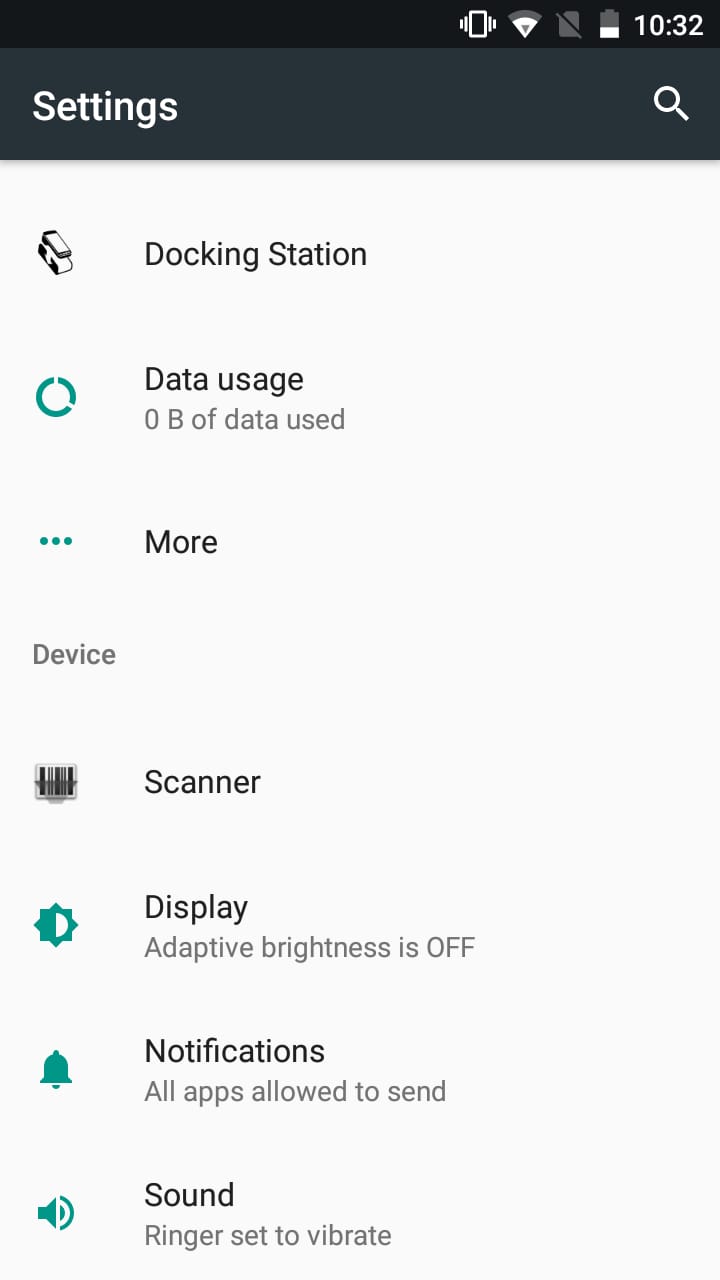
Step 1
Open Settings select Scanner
Step 2
Settings > Scanner > enable Scanner Settings
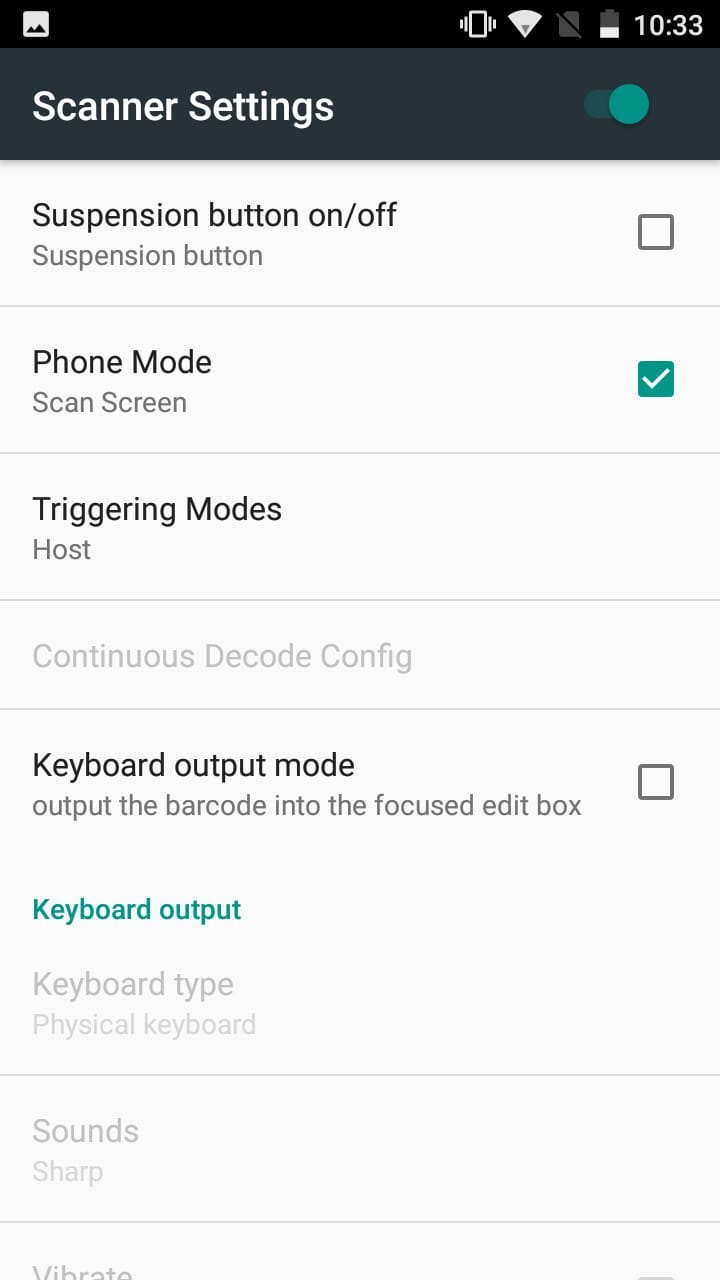
Step 2.1
Settings > Scanner > uncheck Keyboard output mode
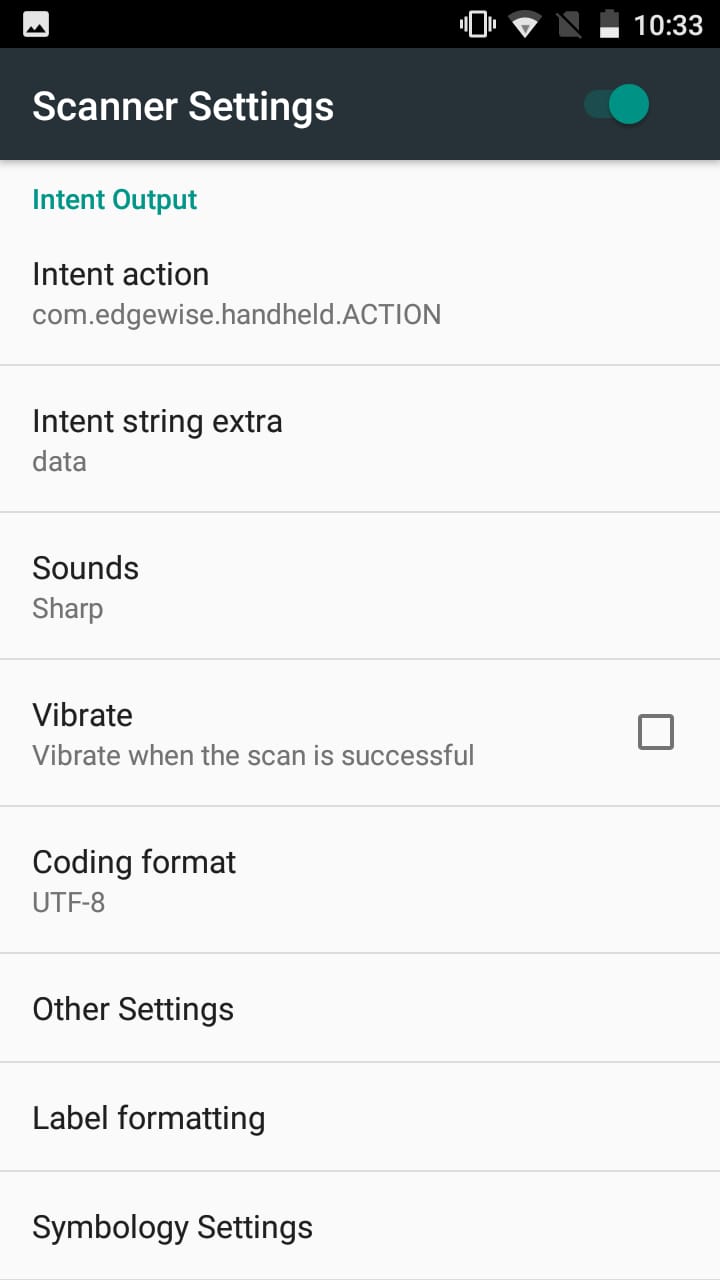
Step 3
Settings > Scanner > Change Intent Output
Intent action : com.edgewise.handheld.ACTION
Intent string extra : data