Cruise HHT
Cruise HHT Integration Tutorial
Step 1
Search for Scan tool app
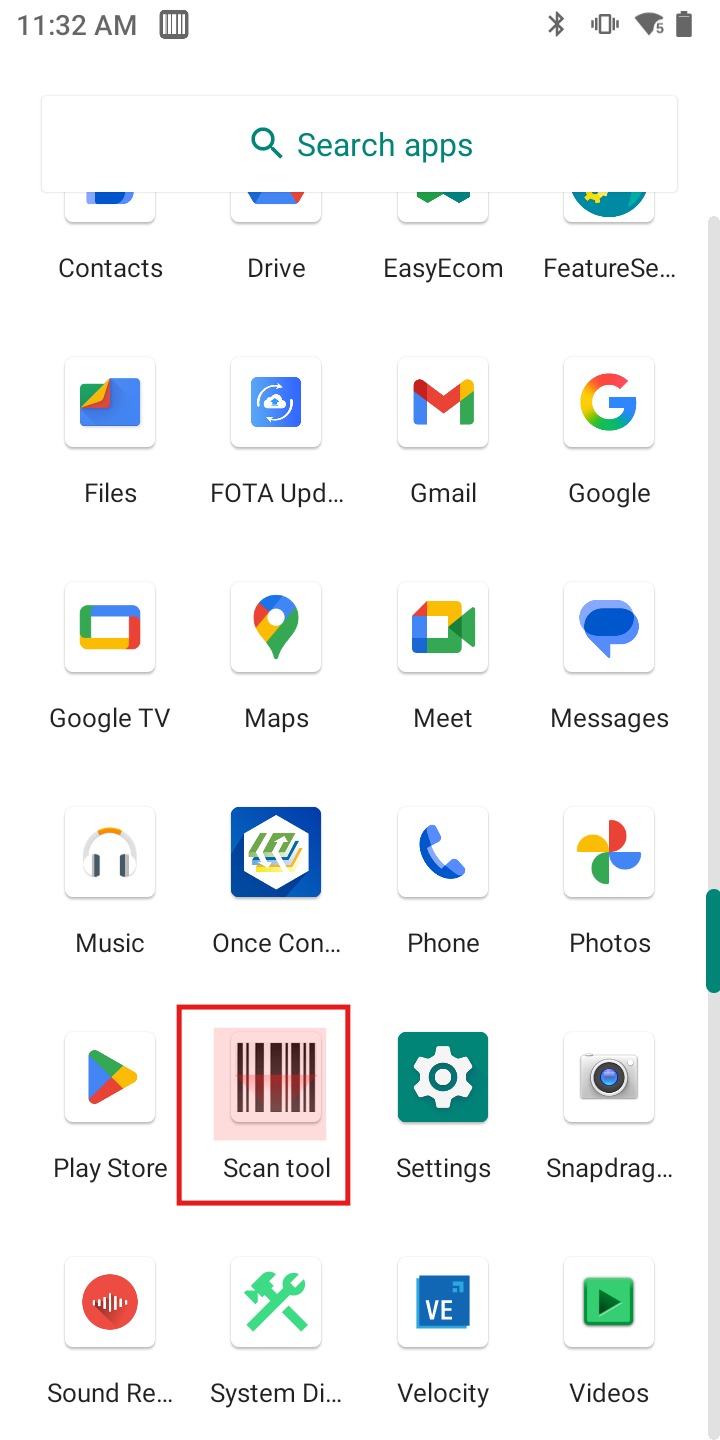
Step 1.2
Open the app and select Settingsand Scan settings at top
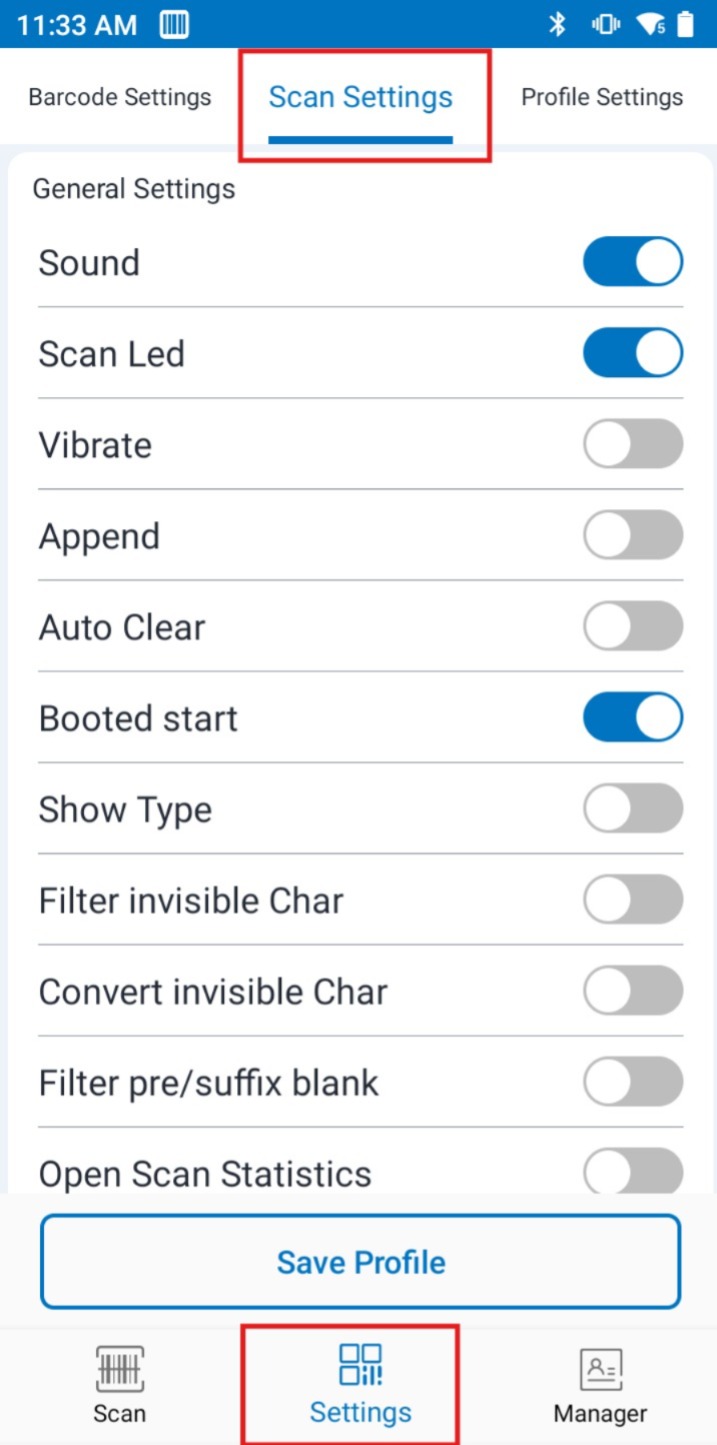
Step 2
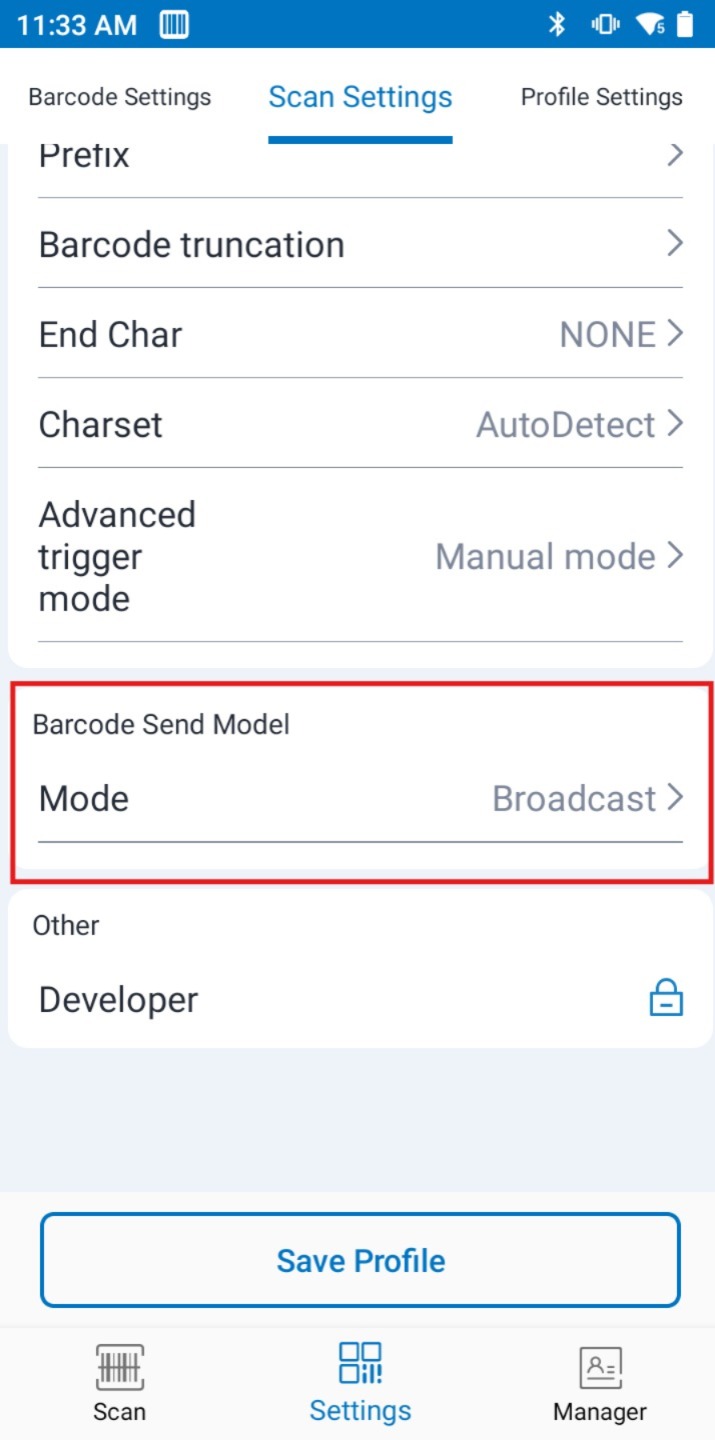
Change Barcode Send Mode to Broadcast
Change End char to NONE
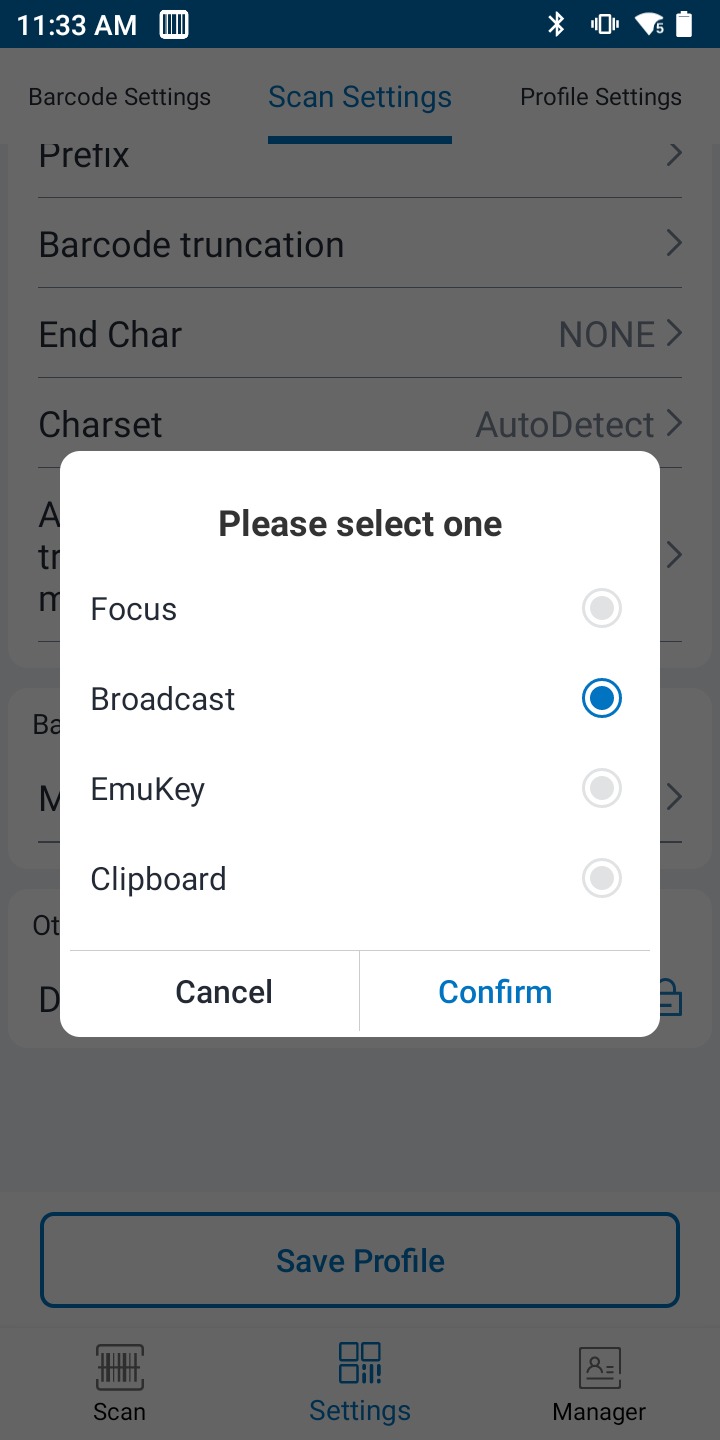
Step 2.1
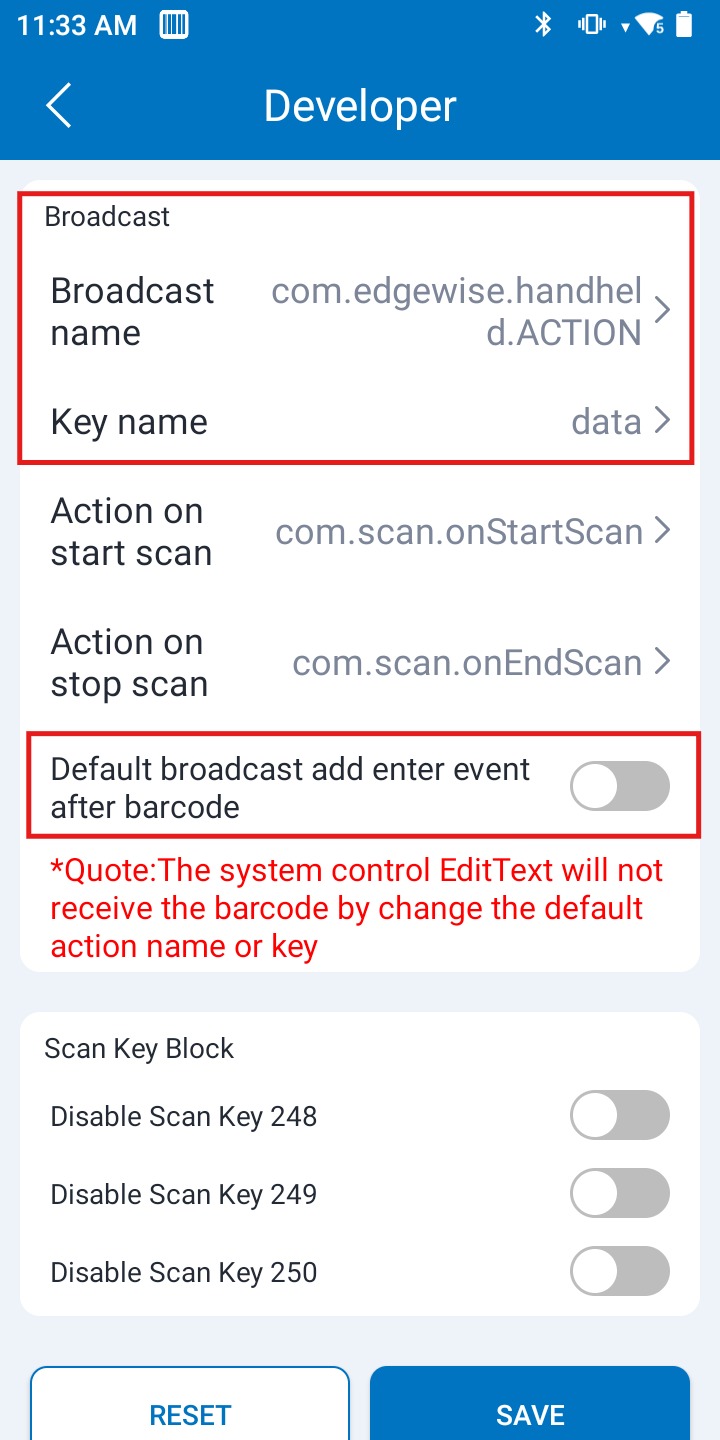
Open Developer the password is uasually 888888
Step 2.2
Change
Broadcast name : com.edgewise.handheld.ACTION
Key name : data
Disable the enter event after barcode